Open CoDesign
Open CoDesign: Your Prompts, Your Model, Your Laptop — A Local-First Design Studio
Introduction Open CoDesign is an ambitious open-source desktop tool that turns prompts into polished design artifacts entirely on your laptop. Built to be model-agnostic and local-first, it lets you work with Claude, GPT, Gemini, Ollama, or any OpenAI-compatible endpoint without cloud lock-in or vendor dependency. It’s an MIT-licensed desktop app that puts you in control: bring your own models, manage your own keys, and export real files—HTML, PDF, PPTX, ZIP, or Markdown—without forced cloud workflows. The project presents itself as a powerful alternative to cloud-only design suites, emphasizing speed, privacy, and flexibility.
[Hero image: Open CoDesign — prompt on the left, live artifact on the right]
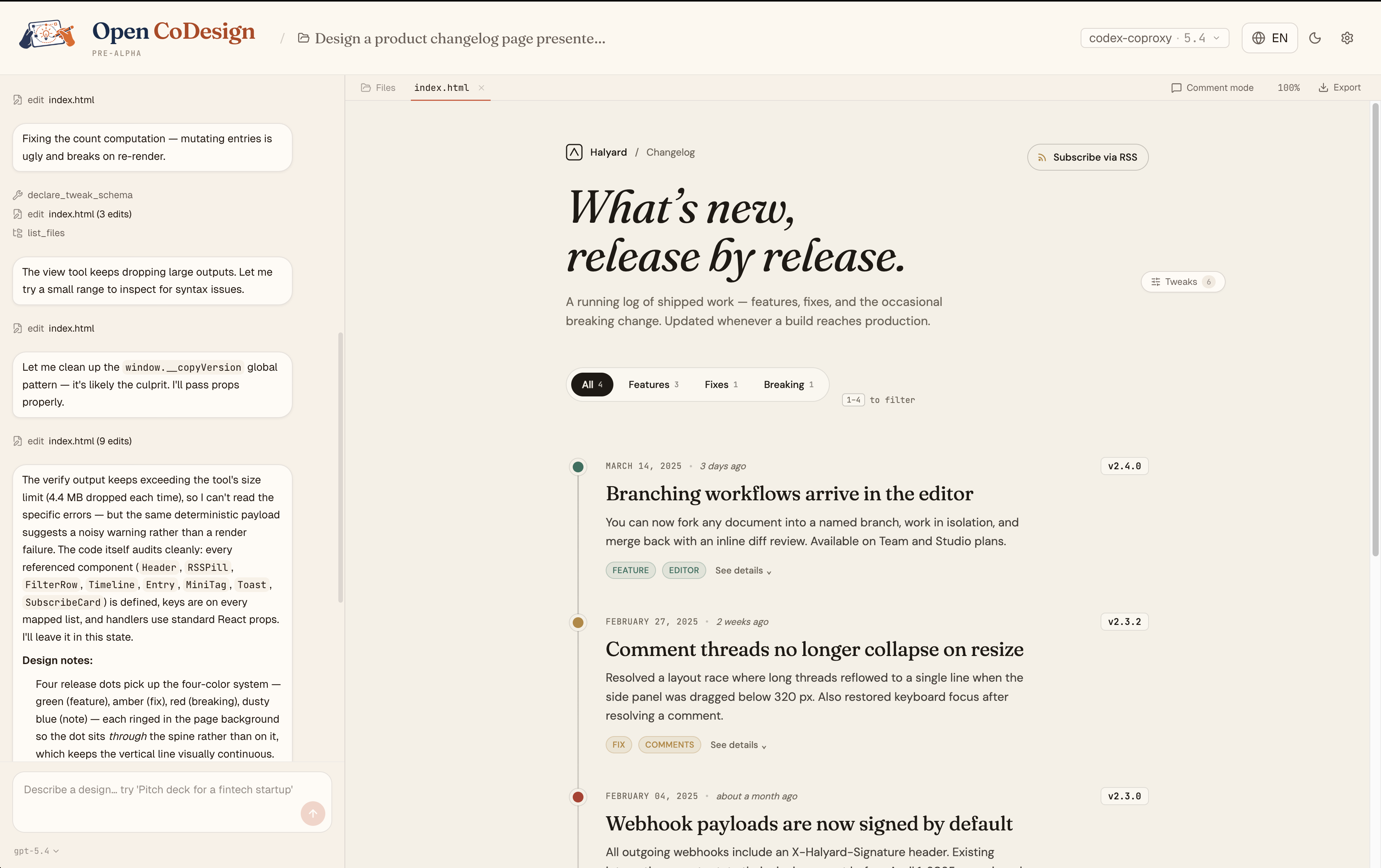
What Open CoDesign Is
- A desktop-native, open-source design studio. It runs locally, keeping your data on-device and giving you control over how you work with AI.
- A bridge between prompts and polished artifacts. It plans, writes, self-checks, and ships designs that look like they came from a professional design tool.
- A multi-model platform. Claude, GPT, Gemini, Ollama, OpenRouter, DeepSeek, and more are supported, with a dynamic model catalog rather than a fixed, hardcoded list.
- A toolkit for rapid prototyping and export. From HTML and CSS to PDFs, PPTX, ZIPs, and Markdown, you can export production-ready assets directly from your local workspace.
Why People Are Excited About It
- Runs on your laptop. There’s no mandatory cloud workspace, so you retain privacy and control.
- Works with your model. You’re not locked into a single provider; switch between Claude, GPT, Gemini, Ollama, and other compatible endpoints.
- Exports real files. The pipeline ends with tangible deliverables that you can share or publish.
- Shows its work. The agent’s activity, tool calls, and progress are visible and interruptible, providing transparency into the generation process.
Key Highlights and Visual Dines
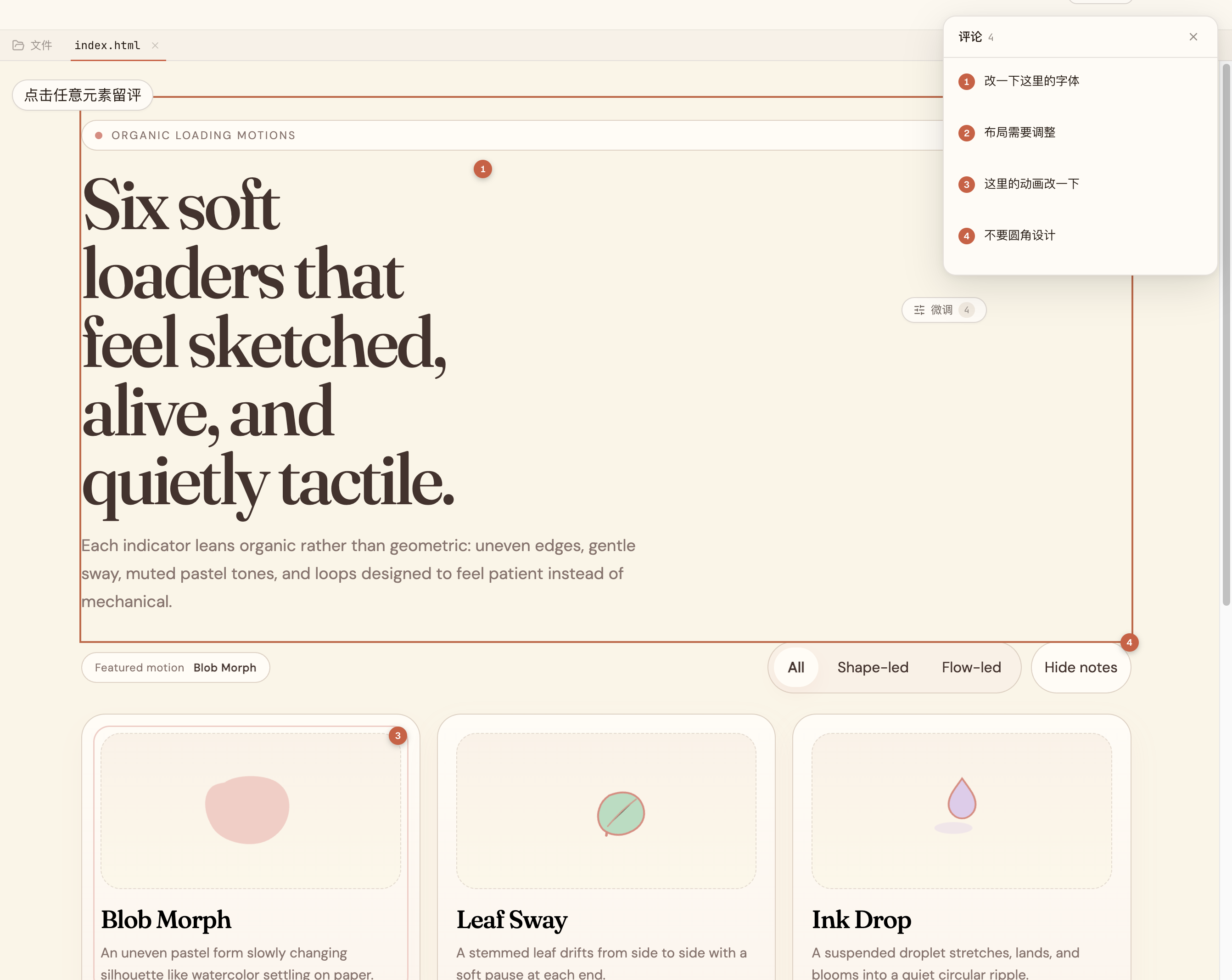
- Comment, don’t retype. Click any element, drop a pin, and let the model rewrite only that region. This makes precise edits faster and safer.
- Image: Comment mode in action
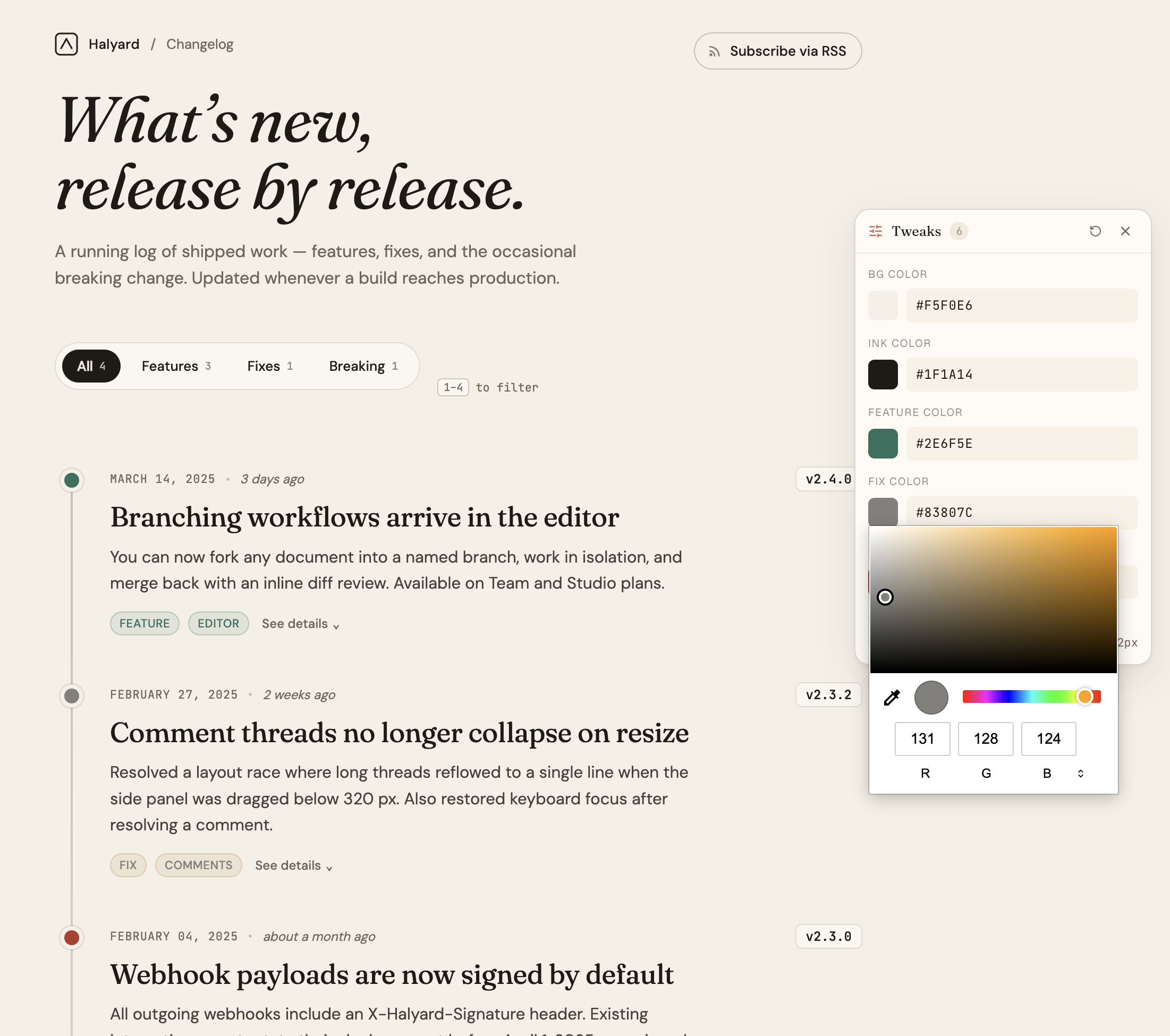
- AI-tuned tweaks. The tweaks panel surfaces the parameters worth tweaking—color, spacing, typography—so you refine without re-prompting.
- Image: Tweaks panel with color pickers
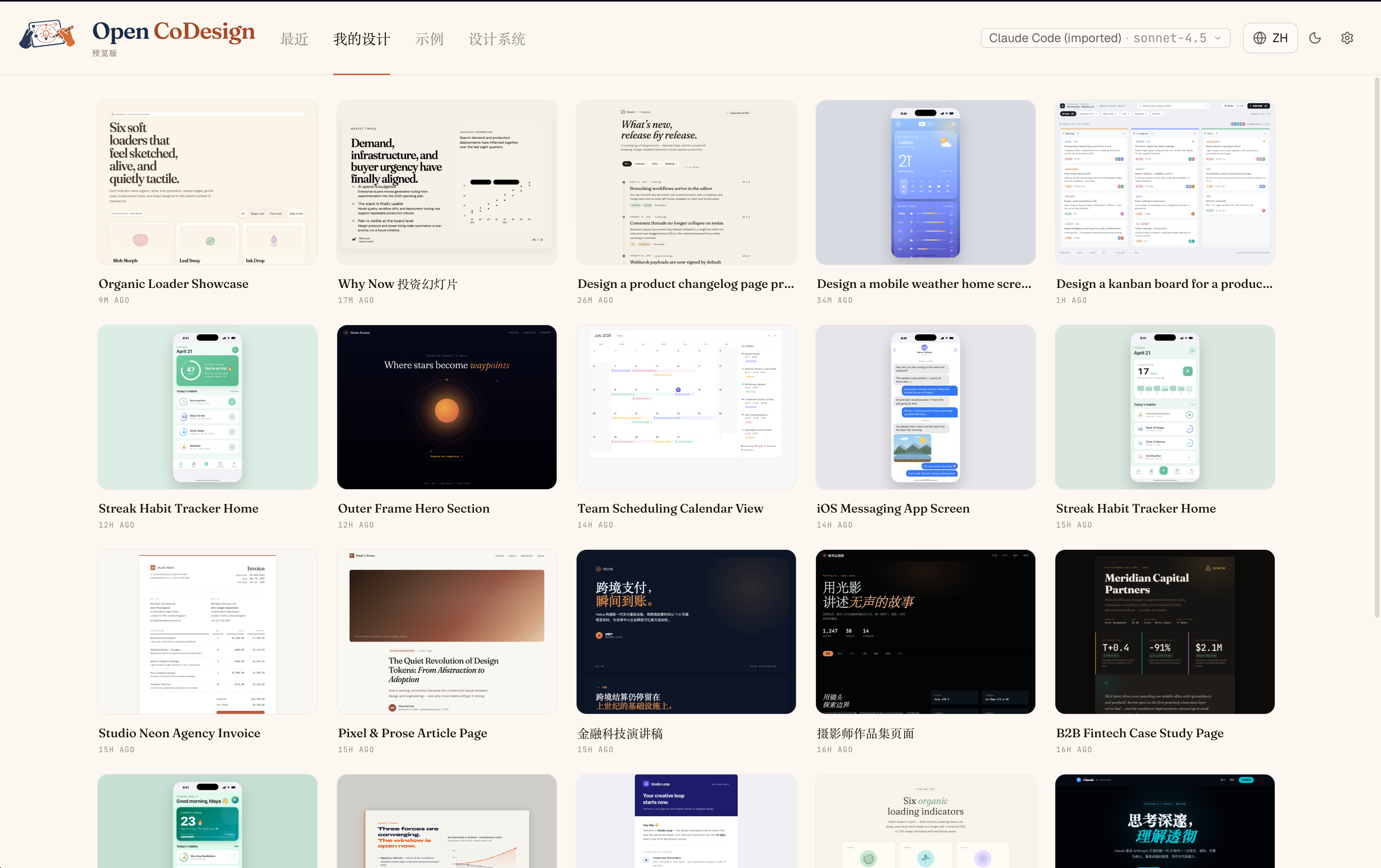
- Your Designs hub. Every iteration is kept locally, letting you switch between recent versions instantly.
- Image: Hub of designs
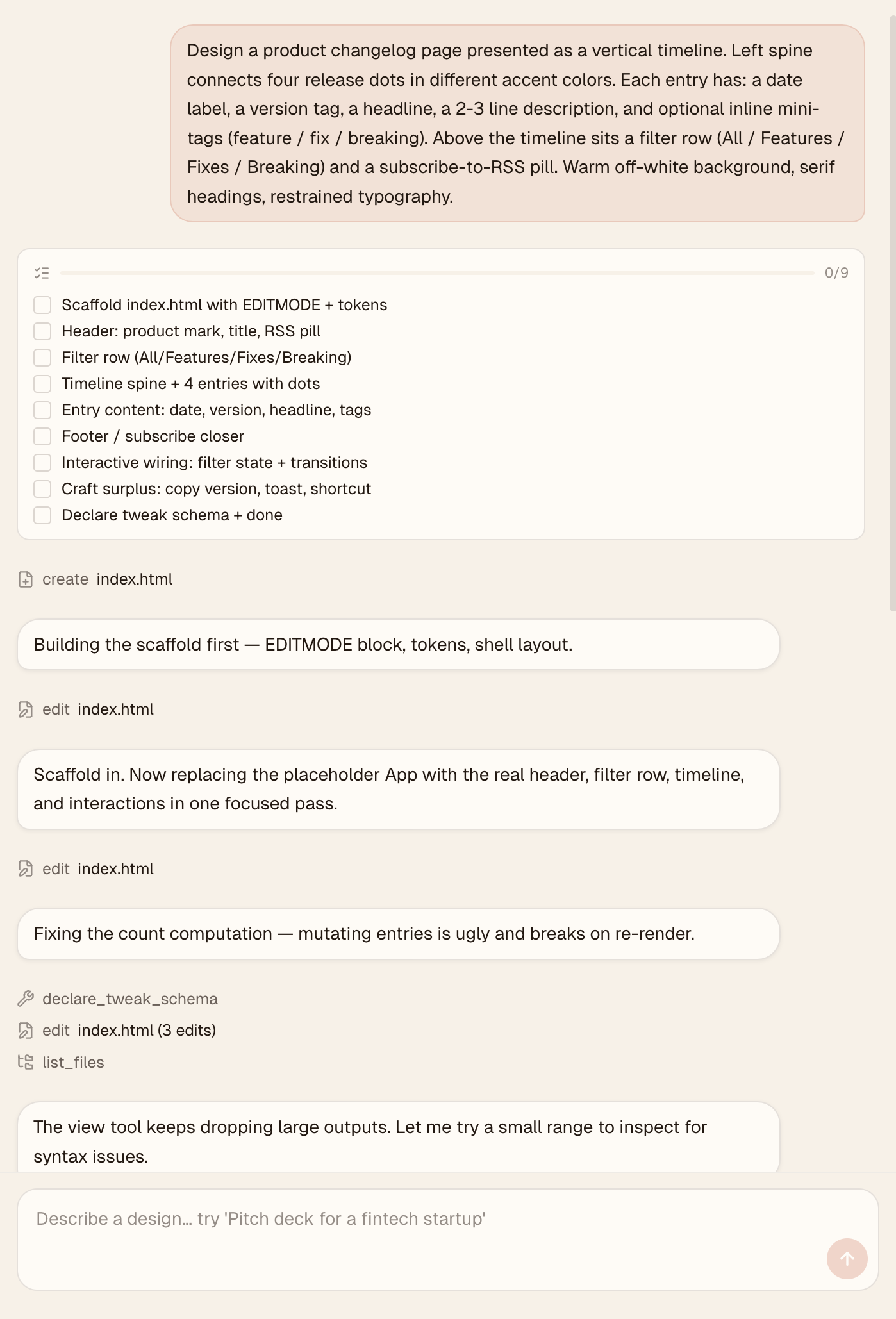
- Live agent visibility. A live agent panel shows todos, tool calls, and streaming progress, so you know exactly what the model is doing.
- Image: Live agent panel
What it Is Not
- It is not a single-vendor, cloud-only design studio. Open CoDesign emphasizes openness, local-first operation, and model-agnostic workflows.
- It is not a closed ecosystem. The project invites contributions, model integrations, and user-defined taste.
A Quick Tour: How It Works
- Turn prompts into prototypes locally. You provide a brief, and the agent plans, writes, self-checks, and ships a finish-ready artifact with hover states, tabs, and empty states already wired up.
- A design-first mindset. The system includes 12 built-in design skill modules to cover common design tasks, from landing pages to dashboards and pricing sections.
- No vendor-binding export. You export your work in standard formats (HTML with inlined CSS, PDF via local Chrome, PPTX, ZIP, Markdown) for immediate use in real projects.
The Quickstart Path: Time to First Artifact
- Time to first artifact: about 3 minutes.
- Requirements: one API key or a local Ollama instance.
- Operating systems: macOS 12+ (Monterey or later), Windows 10+, Linux with glibc ≥ 2.31.
- Install options:
- One-liner (recommended):
- Windows: winget install OpenCoworkAI.OpenCoDesign
- macOS: brew install --cask opencoworkai/tap/open-codesign
- Direct download (v0.1.x) from GitHub Releases (look for the appropriate package for your platform).
- Add your API key or local model:
- Anthropic (sk-ant-…)
- OpenAI (sk-…)
- Gemini
- Any OpenAI-compatible relay (OpenRouter, SiliconFlow, local Ollama) Credentials are stored locally in ~/.config/open-codesign/config.toml with restricted permissions.
- Type your first prompt. Choose from fifteen built-in demos (landing page, dashboard, pitch slide, pricing sections, mobile UI, event calendar, blog article, receipts, portfolio, settings panel, etc.) or describe your own. A sandboxed prototype appears in seconds.
Bringing Your Stack: Importing Your Existing Keys and Providers
- If you already use Claude Code or Codex, you can import your providers, models, and API keys in a single click—no re-entry of settings required.
- A single-click import reduces setup friction and enables you to hit the ground running with your accustomed tools.
Built-in Taste: Designing with Purpose
- Twelve built-in design skill modules. These cover slide decks, dashboards, landing pages, SVG charts, glassmorphism, editorial typography, hero sections, pricing blocks, footers, chat UIs, data tables, and calendars.
- A design taste layer guides the model toward better typography, thoughtful whitespace, and purposeful color choices. This is applied before any CSS is written, ensuring the design respects layout intent, design-system coherence, and contrast.
- Extendable taste. You can add a SKILL.md to any project to teach the model your own design preferences.
What You Get: Models, Generation, and Editing
- Unified provider model. Works with Anthropic, OpenAI, Gemini, DeepSeek, OpenRouter, Silicon Flow, local Ollama, and more. Supports keyless proxies as needed.
- One-click import from Claude Code and Codex configurations. Bring your existing providers in without rekeying.
- Dynamic model picker. Each provider exposes its real catalog of models, rather than a fixed, short list.
- Prompt-to-prototype generation. The prototype is rendered in a sandboxed iframe (on-device React 18 + Babel).
- Demos and skill modules. Fifteen demos plus twelve design skill modules provide ready-to-edit starting points for common briefs.
- Live agent panel. Tool calls stream in real time so you can observe the model’s workflow as it edits files.
- AI image generation. Opt-in for bitmaps for heroes, product shots, backgrounds, and illustrations.
- AI-generated sliders. The model emits parameters worth tweaking—color, spacing, font—so fine-tuning is precise and efficient.
- Comment mode. Click an element, drop a pin, and have the model redo only that region.
- Generation cancellation. You can stop a generation mid-stream without losing prior turns.
Preview and Workflow: Seeing Is Believing
- Multi-device previews. True responsive frames for phone, tablet, and desktop; switch with one click.
- Files panel. Inspect multi-file artifacts (HTML, CSS, JS) before export.
- Instant design switching. The last five designs keep their preview iframes alive, preserving context and enabling seamless Hub ↔ Workspace navigation.
- Connection diagnostic panel. One-click tests for any provider with actionable error messages.
- Per-generation token counter. See exactly how many tokens a given generation consumes, in the workspace sidebar.
- Comprehensive Settings. Four tabs—Models, Appearance, Storage, and Advanced. Includes light and dark themes and EN + 简体中文 UI with live toggle.
- Local-first export. All exports are designed to be production-ready and easy to integrate into existing workflows.
Export and Packaging: Ready for Real Projects
- Five export formats:
- HTML (with inlined CSS)
- PDF (via local Chrome)
- PPTX
- ZIP
- Markdown
- GitHub release pipeline. Generates unsigned DMG for macOS, EXE for Windows, and AppImage for Linux. Future releases will include signed builds and auto-update features.
- Roadmap alignment. The current v0.1.4 focuses on AI image generation, OAuth login for ChatGPT Plus/Codex users, CLIProxyAPI import, and improved API diagnostics. v0.2.0 will introduce Agentic Design, turning Open CoDesign into a working workspace with session history and design tools on demand.
Roadmap: From Generator to Design Agent
- Current release: v0.1.4. Now shipping AI image generation, OAuth login for ChatGPT Plus/Codex, and fortified API diagnostics.
- Next: v0.2.0 (Agentic Design). Aims to transform Open CoDesign from a one-shot generator into a true local design agent with:
- Design as a session. Each design is a JSONL-backed session with a persistent workspace on disk.
- Permissioned agent loop. A pi-based internal loop for read, write, edit, bash, grep, find, and ls—guarded by a robust permission UI.
- On-demand design tools. Ask, scaffold, skill, preview, gen_image, tweaks, todos, and done for flexible workflow control.
- DESIGN.md as shared memory. Brand tokens and design-system decisions become editable files rather than model memory.
- Migration path. Existing SQLite designs can migrate into workspaces and session histories.
- Later: v0.2.x and beyond
- Renderer improvements for new tools and process-management surfaces.
- Cost transparency with pre-generation estimates and weekly budgets.
- Version snapshots and side-by-side diffs for design comparisons.
- Three-style parallel exploration to broaden design exploration.
- Codebase-to-design system work (token extraction) and a path toward code-signing with a future auto-update feature.
- Figma layer export and other evolving features.
Built On: The Foundation
- Technologies: Electron, React 19, Vite 6, Tailwind v4.
- Core primitives: @mariozechner/pi-ai and pi-coding-agent for model/provider integration and the agent loop.
- Database and packaging: better-sqlite3, electron-builder.
- The architecture is designed to be extendable, with room to incorporate new providers and evolving design modules.
Community and Collaboration: Getting Involved
- Community channels
- GitHub Discussions for show-and-tell, Q&A, and ideas.
- Linux Do community for Chinese-speaking users and feedback.
- GitHub Issues for bug reports and reproducible problems.
- WeChat group for Chinese-speaking users
- QR code is posted in the project repository. Note that the QR rotates every 7 days and is valid for a limited window.
- If the code expires, you can request a refresh via GitHub Issues.
- Contributing
- See CONTRIBUTING.md for guidance.
- Open an issue before writing code and run lint, typecheck, and tests before a PR.
- Licensing
- MIT license. You’re free to fork, ship, and modify the project, with third-party notices preserved in NOTICE.
WeChat Group QR Code
- For the Chinese-speaking community, the WeChat group QR code is provided in the repository.
- Image: WeChat QR code
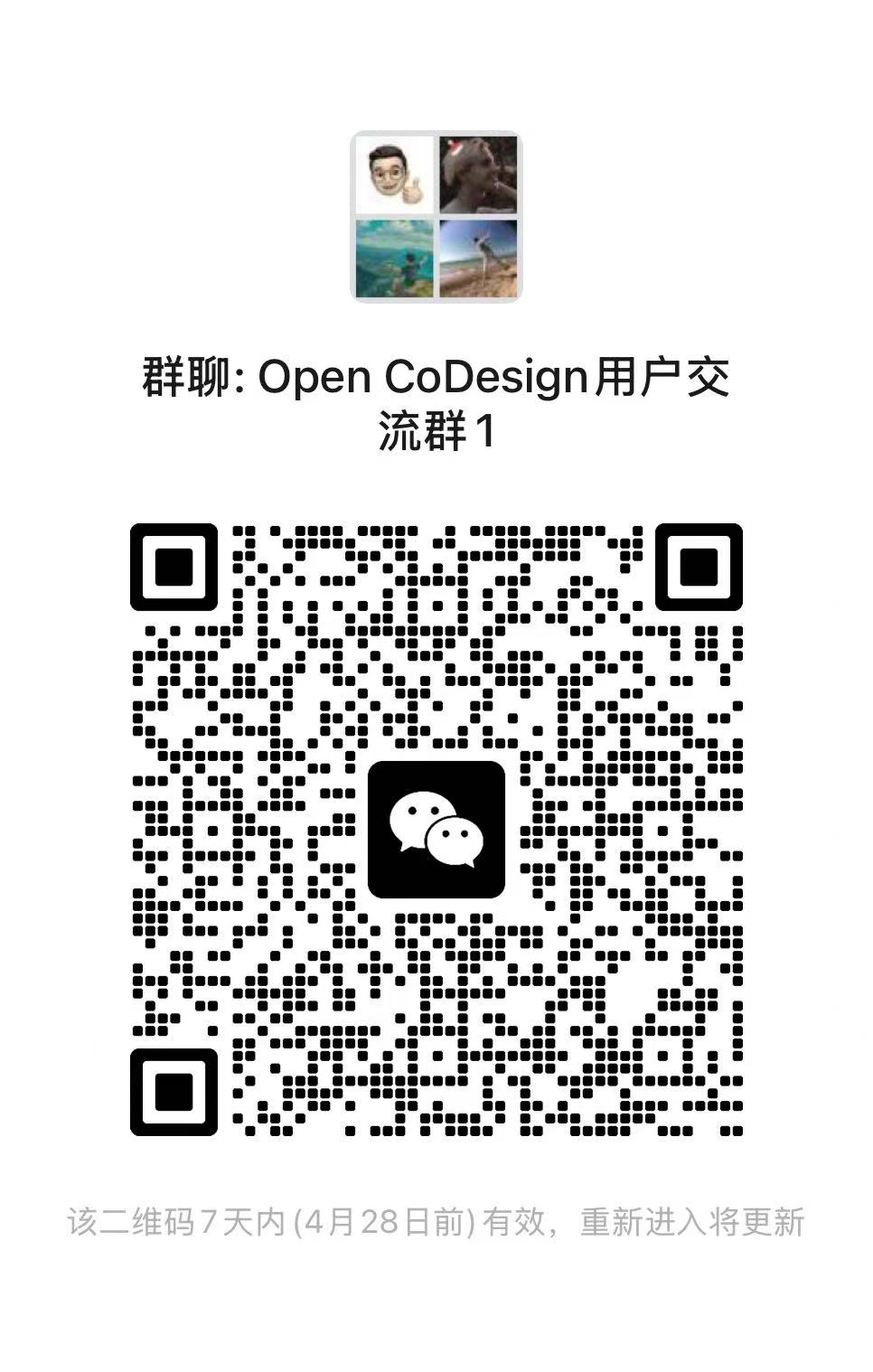
- Important note: The QR code rotates weekly and is valid until the stated date. If you encounter expiration, reach out via GitHub Issues to refresh the image.
Star History and Popularity
- A visual star-history chart traces the project’s popularity over time.
- Image: Star history
- This dynamic visualization provides a tangible measure of community interest and ongoing development momentum.
Community Voice: Why It Matters
- The project emphasizes privacy and autonomy. By keeping design processing local, it reduces dependency on cloud services and subscription models.
- It champions openness and collaboration. The MIT license and open development model invite researchers, designers, and developers to contribute improvements, plugins, and integrations.
- It fosters practical design production. Not just prompts, but production-ready assets—exported files ready for real-world usage.
Citing Open CoDesign in Your Work
- If you reference Open CoDesign in papers or articles, a recommended citation is provided in the repository’s CITATION.cff and the BibTeX entry:
- bibtex entry is provided in the README, including author, title, year, and URL.
Caveats and Practical Tips
- Dependency on local hardware: because the tool runs locally and supports multiple providers, your experience depends on your machine’s resources and available models.
- Verifying builds: for users seeking verified builds, compiling from source is an option. See CONTRIBUTING.md for details.
- macOS Gatekeeper notes: early builds may require running commands to bypass Gatekeeper on macOS Sequoia 15+ systems. The one-liner xattr approach is included in the quickstart notes for a smoother install.
Accessibility and Language Support
- The UI is designed to be bilingual with English and 简体中文 (Simplified Chinese) UI options, with a live toggle between languages. This makes the tool accessible to a broader audience and supports teams with mixed-language workflows.
Notes on Documentation and Release History
- The main repository pages include a changelog and a detailed release history. The “What’s New” section highlights changes across versions, including v0.2.0 preparations and v0.1.4 release notes.
- Documentation is accessible via the Docs section of the project website, a Quickstart guide, and a changelog with entry-by-entry notes.
Conclusion: A New Path for Desktop AI Design Tools Open CoDesign represents a thoughtful convergence of prompts, models, and production-ready design artifacts, all operating locally. It’s designed for designers and developers who want speed, privacy, and control without sacrificing quality or collaboration. With an emphasis on multi-model flexibility, a rich kit of design skills, and a transparent, live-diagnostic workflow, it invites users to shape their own design processes rather than conform to a single cloud-based paradigm.
Gallery: Images from the Input
- Hero showcase: Open CoDesign — prompt on the left, live artifact on the right
- Comment mode: Click, pin, and rewrite a region
- AI tweaks: Sliders for color and typography
- Hub of designs: Your iterations, kept locally
- Live agent activity: Todos and tool calls streaming
- WeChat community: QR code for the Chinese-speaking group
Appendix: Quick Reference Commands and Links
- Quickstart install (one-liner):
- Windows: winget install OpenCoworkAI.OpenCoDesign
- macOS: brew install --cask opencoworkai/tap/open-codesign
- Quickstart manual install references:
- macOS arm64: open-codesign-*-arm64.dmg
- macOS x64: open-codesign-*-x64.dmg
- Windows x64: open-codesign-*-x64-setup.exe
- Windows ARM64: open-codesign-*-arm64-setup.exe
- Linux AppImage: open-codesign-*-x64.AppImage
- Linux Debian/Ubuntu: open-codesign-*-x64.deb
- Linux Fedora/RHEL: open-codesign-*-x64.rpm
- API key adding:
- Anthropic: sk-ant-…
- OpenAI: sk-…
- Gemini
- OpenAI-compatible relays (OpenRouter, SiliconFlow, Ollama)
- Documentation and community:
- Website: https://opencoworkai.github.io/open-codesign/
- Quickstart: #quickstart
- Discussions: https://github.com/OpenCoworkAI/open-codesign/discussions
- Contributing: ./CONTRIBUTING.md
- Security: ./SECURITY.md
Coda: The Vision Ahead Open CoDesign is not merely a tool; it’s a design philosophy for AI-assisted product creation. It foregrounds local-first operation, model-agnostic workflows, and an extensible design system that evolves with the user’s taste and project needs. By blending prompt-driven generation with structured design skill modules, it aims to make high-quality design artifacts accessible directly from your laptop—without mandatory cloud subscriptions or vendor lock-ins. As the project moves toward Agentic Design, you can expect a more integrated workspace, richer collaboration capabilities, and deeper control over the design process—while keeping the authenticity and privacy that local-first design tools promise.
Enjoying this project?
Discover more amazing open-source projects on TechLogHub. We curate the best developer tools and projects.
Repository:https://github.com/OpenCoworkAI/open-codesign
GitHub - OpenCoworkAI/open-codesign: Open CoDesign
Open CoDesign is an open-source AI assistant for desktop design....
github - opencoworkai/open-codesign